

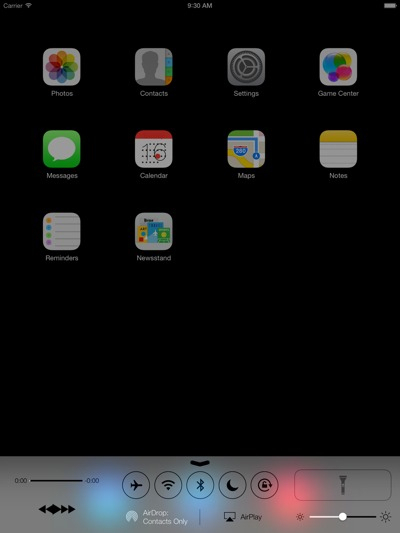
9to5 Mac은 iPad에서 iOS 7이 구동되는 아주 Fresh한 모습을 제공 하고 있습니다.
이는, Xcode 5에서 iPad 에뮬레이터를 통해 iOS 7을 구동 한 것인데요. 아래와 같은 방법으로 가능하다고 합니다.
Copy the folder:
/Applications/Xcode.app/Contents/Developer/
Platforms/iPhoneSimulator.platform/Developer/
Applications/iPhone Simulator.app/Contents/
Resources/Devices/iPad (Retina).deviceinfo
to
/Applications/Xcode5-DP.app/Contents/Developer/
Platforms/iPhoneSimulator.platform/Developer/
Library/PrivateFrameworks/SimulatorHost.framework/
Versions/A/Resources/Devices
Then open the iOS Simulator and select \”iPad (Retina)\” as device.
(Current Xcode 4 and Xcode 5 is required.)
http://9to5mac.com/2013/06/16/a-fresh-look-at-ios-7-on-the-ipad-gallery/
KMUG 케이머그에서 더 알아보기
구독을 신청하면 최신 게시물을 이메일로 받아볼 수 있습니다.